Maryam Ko Batayn Application 2026 Check Status, Eligibility & Payment
Maryam Ko Batayn Application
If you applied for the Maryam Ko Batayn Rs. 10,000 financial grant in Punjab, you are probably refreshing the app every hour to see if your status has changed. That’s normal. Thousands of families are doing the exact same thing right now, and the waiting can feel frustrating when you don’t know what each status actually means.
This guide walks you through the whole process in plain language. You’ll learn how to check your status, what Pending, Approved and Rejected really mean, who qualifies for the grant, and how to keep yourself safe from scammers who prey on people during this kind of program.
Punjab E Bike Monthly Installment 2026: Rs 2,100 Payment, Subsidy & Registration Guide
What Is the Maryam Ko Batayn Program
Maryam Ko Batayn (sometimes written as Maryam Ko Bataiyen or MKB is a relief and citizen-support initiative run by the Punjab government under Chief Minister Maryam Nawaz Sharif. It started as a way for people to report problems and request help through Helpline 1000, and it grew into a channel for direct cash assistance during Ramadan for families facing financial hardship.
The scheme is not just a one-time Ramadan offer. Reports from the Punjab government indicate the program has continued afterward, with millions of applications received through the mobile app, the web portal, and the phone helpline combined. The idea is simple: instead of forcing people to visit government offices, everything happens through a phone call, an app, or a website.
How to Check Your Maryam Ko Batayn Application Status
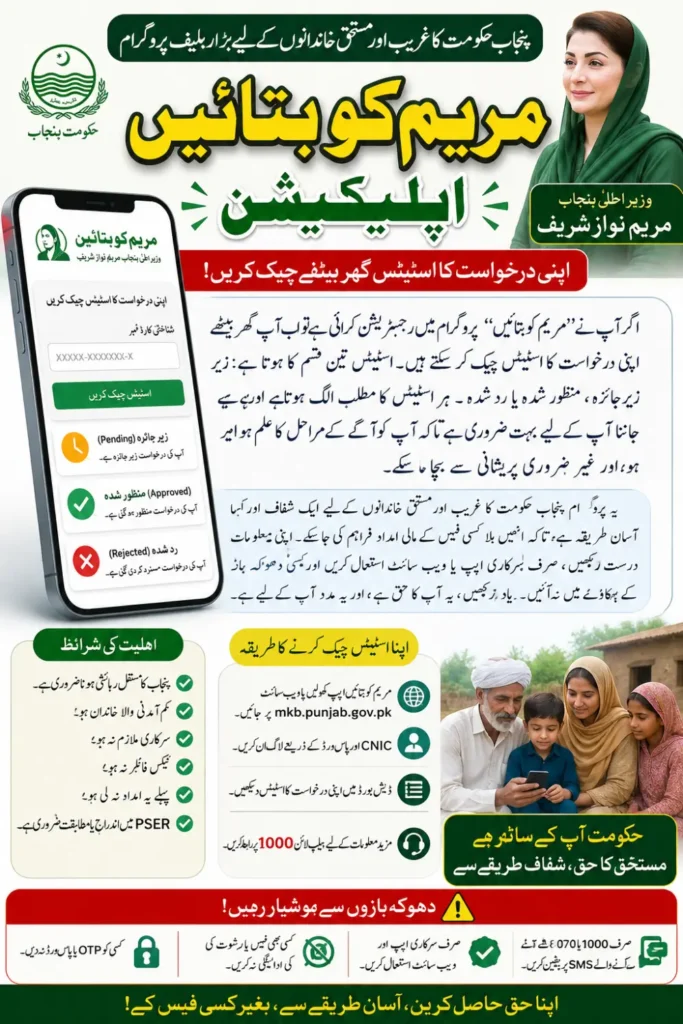
Checking your status doesn’t take long once you know where to look. You have three official ways to apply and check progress: the mobile app, the web portal at mkb.punjab.gov.pk, and Helpline 1000.
Here’s the simplest route using the app:
- Open the Maryam Ko Batayn app on your phone.
- Log in with your registered mobile number or CNIC and your password.
- Go to your application dashboard.
- Your current status will be shown right there Pending, Approved, or Rejected.
If you registered through the web portal instead, log in the same way on mkb.punjab.gov.pk and look for the status section on your account page. You can also call 1000 and ask an agent to confirm your status over the phone, which helps if the app is giving you trouble.
What Pending, Approved, and Rejected Actually Mean
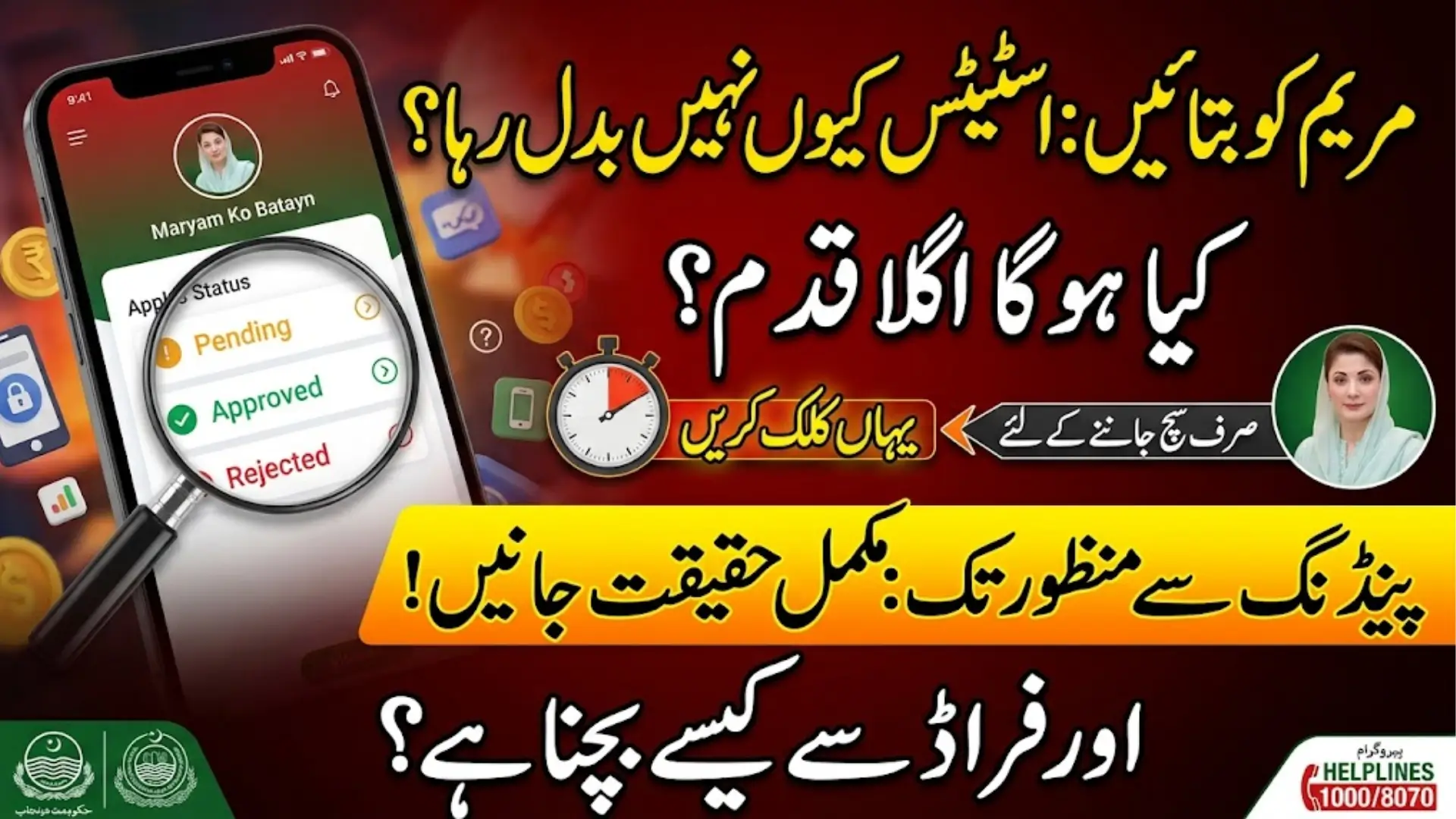
Seeing Pending does not mean bad news. It just means your file is still being reviewed. Your Punjab Socio-Economic Registry record might still need matching, your CNIC details could be under verification, or there could simply be a backlog because so many people applied at once.
Approved means you passed verification and your case has moved into the payment stage. If your PSER data was already on file and correct, some applicants report receiving funds within roughly 24 hours. If verification had to be done manually, it can take a few more days some sources mention up to four days as a rough benchmark. “Rejected” means the system found a reason you don’t qualify, and the app usually shows a short explanation when this happens.
Why Applications Get Rejected
A rejection is disappointing, but it almost always comes down to one of a few clear reasons. Knowing them ahead of time can save you from applying again with the same problem.
- You’re a government employee or a regular income tax filer with a stable declared income.
- Someone in your household has already received this same grant before.
- Your CNIC or personal details didn’t match official records.
- Your PSER data shows your household doesn’t meet the low-income threshold.
- Verification couldn’t be completed because of missing or incorrect information.
If you were rejected for a fixable reason, like a typo in your CNIC, wait for the next application window rather than creating duplicate accounts. Multiple accounts under one household usually slow things down instead of speeding them up.
Who Is Eligible for the Rs. 10,000 Grant
Eligibility is decided through official verification, not just by filling out a form. Generally, the program is aimed at low-income households in Punjab that don’t have a stable or significant income source.
| Eligibility Factor | Requirement |
|---|---|
| Residency | Must be a resident of Punjab with a valid CNIC |
| Income status | Household should not have a significant declared income |
| Employment | Should not be a current government employee |
| Tax status | Should not be an active income tax filer with high declared earnings |
| Previous grant | Household should not have received this same assistance before |
| PSER record | A completed or matchable PSER survey helps speed up approval |
Eligibility can shift slightly as the government updates program rules, so it’s worth checking the app or portal directly rather than relying only on word of mouth.
The Role of PSER in Your Application
PSER stands for Punjab Socio-Economic Registry, and it’s basically the government’s record of household income and living conditions. If your household is already listed correctly in PSER, your application usually moves faster because the system can confirm your eligibility automatically.
If your PSER record is missing, outdated, or incomplete, officials may need to verify things manually — sometimes even through a field visit. This is the main reason two people with similar circumstances can see very different processing times. Keeping your phone number active matters here, since verification teams often call applicants directly to confirm household details.
Common Problems and How to Fix Them
Technical hiccups are common with any high-traffic government app, and most of them have simple fixes.
| Problem | Likely Cause | What to Do |
|---|---|---|
| Status not updating | Verification still in progress | Wait a few days and check again |
| Can’t log in | Wrong CNIC, number, or password | Double-check details or use password reset |
| App crashing or freezing | Outdated app version | Update from Google Play Store |
| No payment after approval | Payment batch still processing | Wait for the scheduled release, check again in a few days |
| OTP not arriving | Network delay or wrong number on file | Check signal, request a new OTP, confirm your number is correct |
If none of these fixes work, contact Helpline 1000 directly instead of relying on random social media pages claiming to offer support.
Staying Safe From Scams
Whenever a government cash program gets attention, scammers show up trying to take advantage of confused applicants. This program is genuinely free to apply for, and no legitimate official will ever ask you for money to “speed up” your approval.
- Never share your OTP or password with anyone, even someone claiming to be a government agent.
- Never pay a fee for approval the entire process is free.
- Only trust SMS messages from official short codes like 1000 or 8070.
- Download the app only from the official Google Play Store, never from a random link.
- If someone contacts you asking for money or bank details, report it through Helpline 1000.
Scammers often create fake login pages that look almost identical to the real one. Always check that you’re on mkb.punjab.gov.pk before entering your CNIC or password anywhere.
Punjab Rising Stars Portal: Complete Registration Guide, Eligibility & Benefits 2026
What Happens After Approval
Once your status changes to Approved, your case moves into the payment stage. Eligible applicants typically receive their Rs. 10,000 through the payment method announced by the program, which has included cash collection points and digital transfer options depending on the applicant’s details.
The app will usually show instructions for how and where to collect your payment, or confirm that funds have been sent to your linked account. If nothing arrives after a reasonable wait, check the app again for updated instructions before assuming something went wrong payment batches are often released in stages rather than all at once.
Conclusion
Checking your Maryam Ko Batayn status is a quick process once you know where to log in, but the waiting game afterward requires a bit of patience. Pending doesn’t mean rejected, Approved means payment is on its way, and a Rejected status almost always comes with a reason you can learn from. Stick to the official app and portal, keep your phone active for verification calls, and never pay anyone for faster approval. If you follow these steps and your information is accurate, there’s a good chance your application moves smoothly through the system.
Frequently Asked Questions
1. How long does it take for a Pending status to change? There’s no fixed timeline, but many applicants see updates within a few days to about a week. It depends heavily on whether your PSER record is already verified.
2. Can I apply again if my application was rejected? If the rejection was due to an error like wrong CNIC details, you can usually correct it and reapply later. If it’s because you don’t meet eligibility rules, reapplying with the same information won’t change the outcome.
3. Do I need to pay any fee to get approved faster? No. The entire application and verification process is completely free, and anyone asking for payment is trying to scam you.
4. What if I don’t receive the OTP during registration? Check your SMS and email spam folder first, confirm your registered number is correct, and request a new OTP if the option is available.
5. How will I receive my Rs. 10,000 after approval? Payment is released through the method shown in your app dashboard, which may include a designated collection point or a direct transfer, depending on your case.
Punjab Livestock Card 2026 Eligibility, Online Registration & Rs 540,000 Loan Details